Simple Simulator
Introduction
The robotont_simple_simulator provides a lightweight simulation
environment for the Robotont mobile robot, providing basic navigation
capabilities with naive physics integration.
The simulator mirrors the core interface of the real Robotont robot, allowing users to reuse the same ROS nodes, topics, and tools that they use with the physical platform.
This package includes a simple driver for basic movement and a navigator for goal-based navigation.
The limitations of this simulator:
Simplified dynamics (not full physics)
No complex collision interactions
Limited sensor simulation
Not suitable for high-fidelity robotics research
Prerequisites
Make sure you check Prerequisites and tested the environment following the instructions presented in Visualize.
Clone and Build
Navigate to your ROS2 workspace src directory:
cd ~/your_workspace/src
Clone the repository:
git clone https://github.com/robotont/robotont_simple_simulator
Install package dependencies using rosdep:
cd ~/your_workspace
rosdep install --from-paths src --ignore-src -r -y
Tip
If you encounter an error at this step, it likely means that rosdep is not installed. You can install and initialize it as follows:
sudo apt install python3-rosdep
sudo rosdep init
rosdep update
Build the package:
colcon build --packages-select robotont_simple_simulator
Source the workspace:
source install/setup.bash
Teleoperation with Simple Driver
Launch the simple driver:
ros2 launch robotont_simple_simulator simple_driver.launch.py
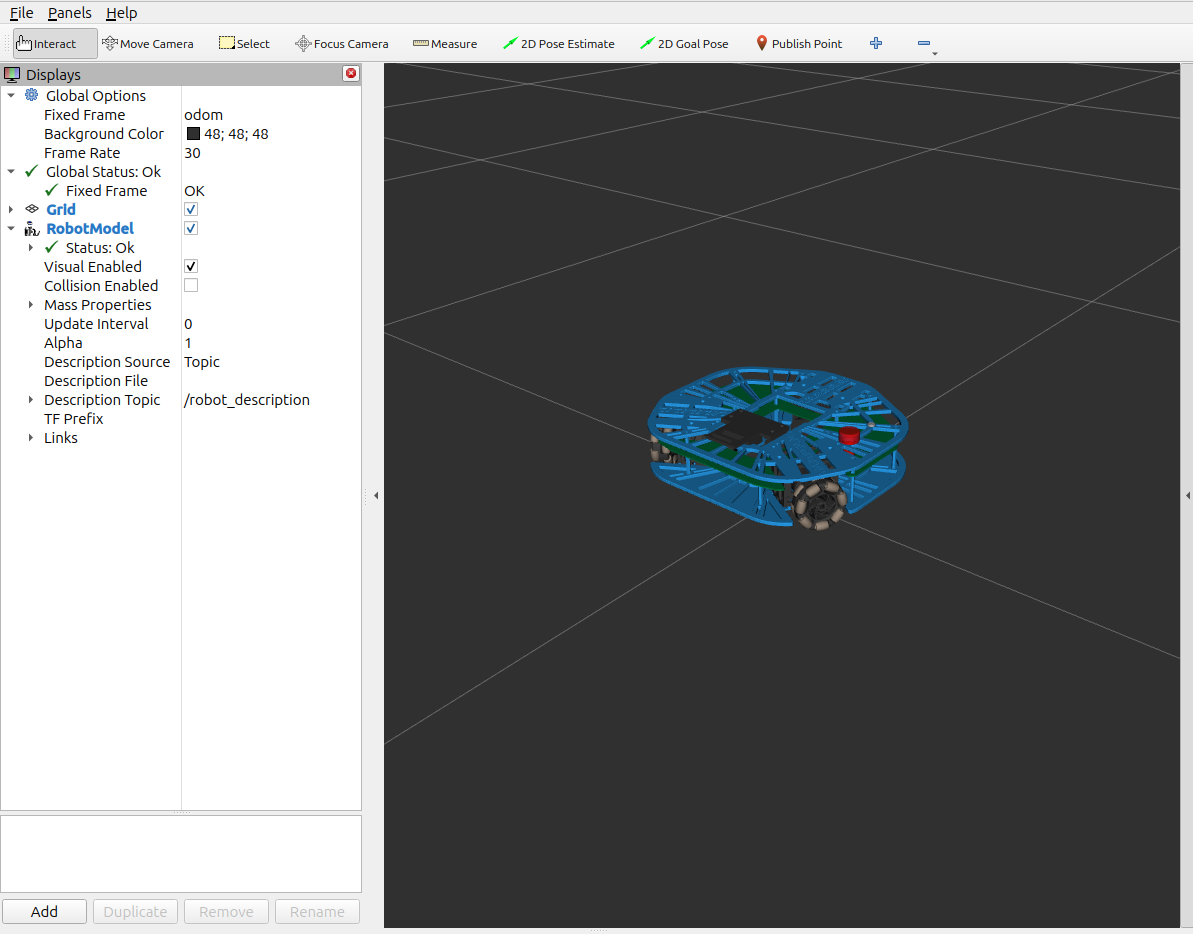
If everything is set up correctly, an RViz window should open and display the robot as shown:
Open a second terminal and use teleop_twist_keyboard to control the robot:
ros2 run teleop_twist_keyboard teleop_twist_keyboard
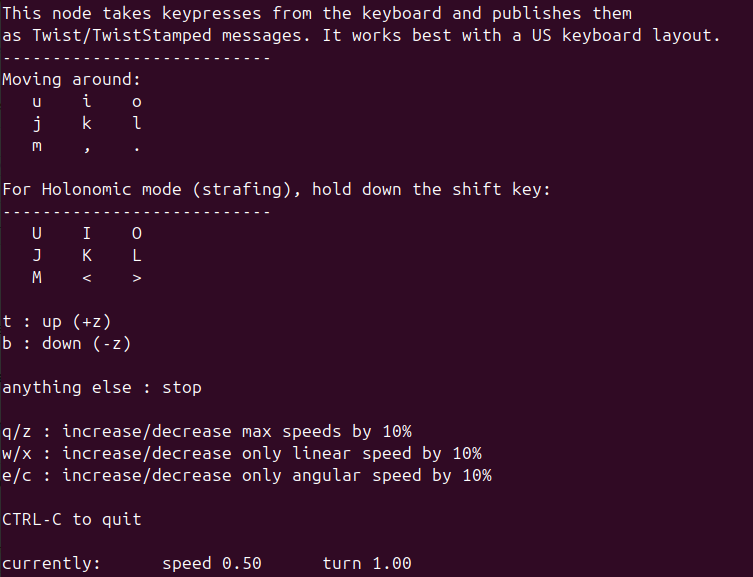
If everything worked correctly, you should see the following in your terminal:
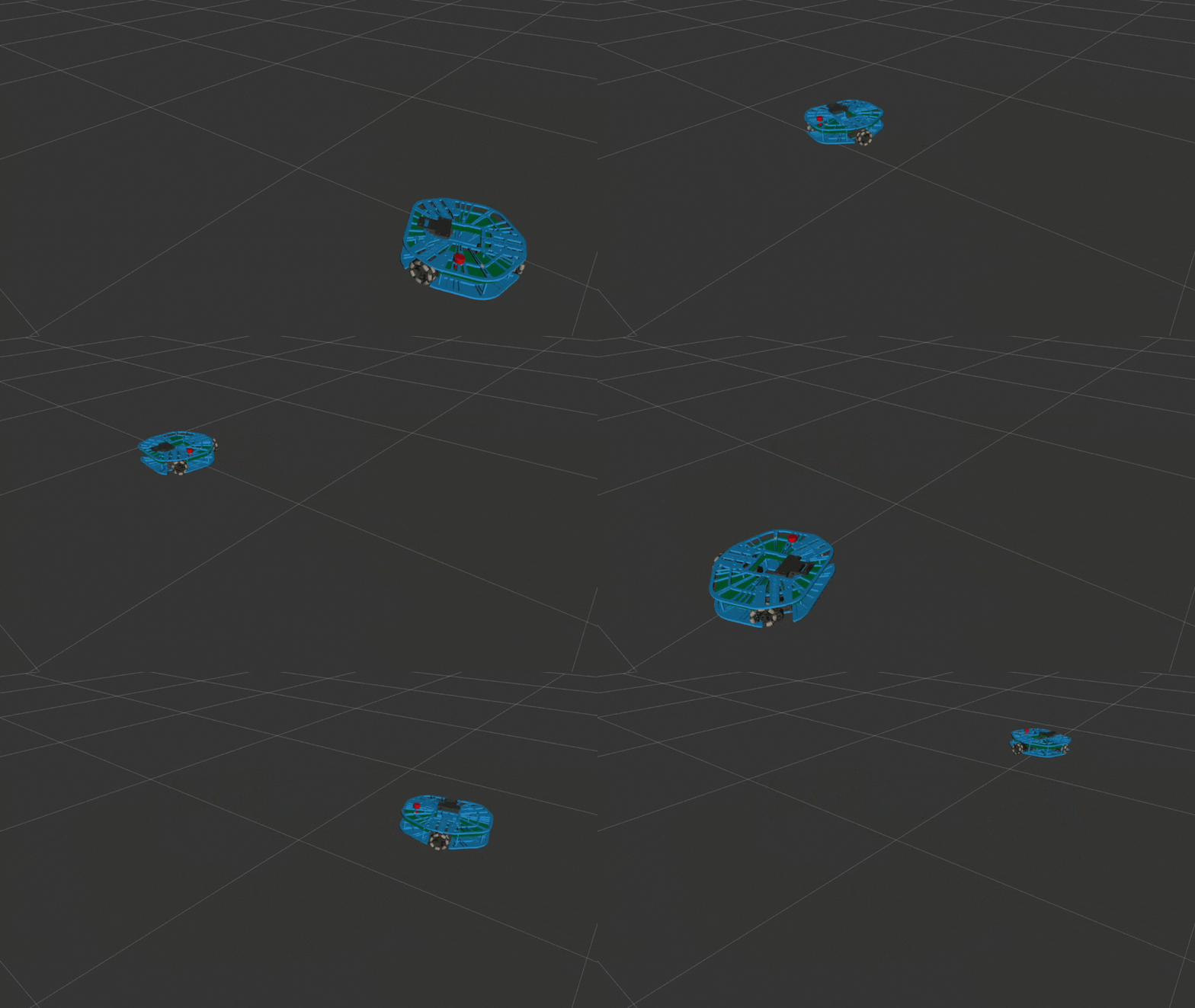
By pressing different keys in this terminal, you’ll see the robot move in RViz. For example:
Navigation with Simple Navigator
Launch the simple navigator:
ros2 launch robotont_simple_simulator simple_navigator.launch.py
Tip
If you want to launch the simple navigator with custom speed parameters, you can do so as follows:
# Launch with faster speeds
ros2 launch robotont_simple_simulator simple_navigator.launch.py linear_speed:=0.8 angular_speed:=1.5

# Launch with slower, more precise speeds
ros2 launch robotont_simple_simulator simple_navigator.launch.py linear_speed:=0.1 angular_speed:=0.3

# Override just one parameter
ros2 launch robotont_simple_simulator simple_navigator.launch.py linear_speed:=0.5
If everything worked correctly, an RViz window should open and display the robot as shown:
Open a second terminal and send an action command that specifies the robot’s target position and orientation, for example:
ros2 action send_goal /navigate_to_pose nav2_msgs/action/NavigateToPose '{pose: {header: {frame_id: "map"}, pose: {position: {x: 2.0, y: 1.0, z: 0.0}, orientation: {x: 0.0, y: 0.0, z: 0.707, w: 0.707}}}}'
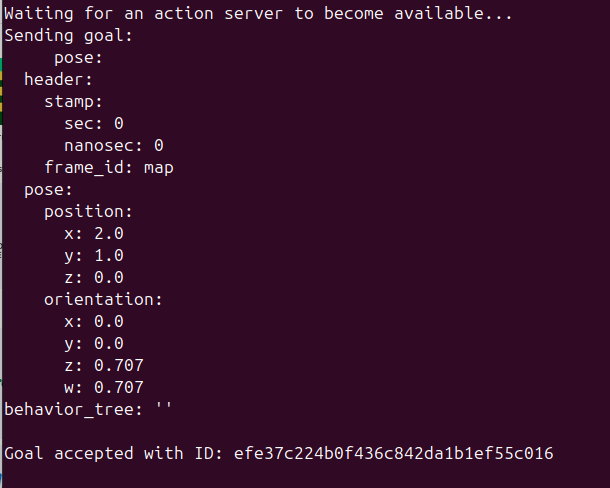
If the command is accepted, you should see the following in your terminal after a few seconds:
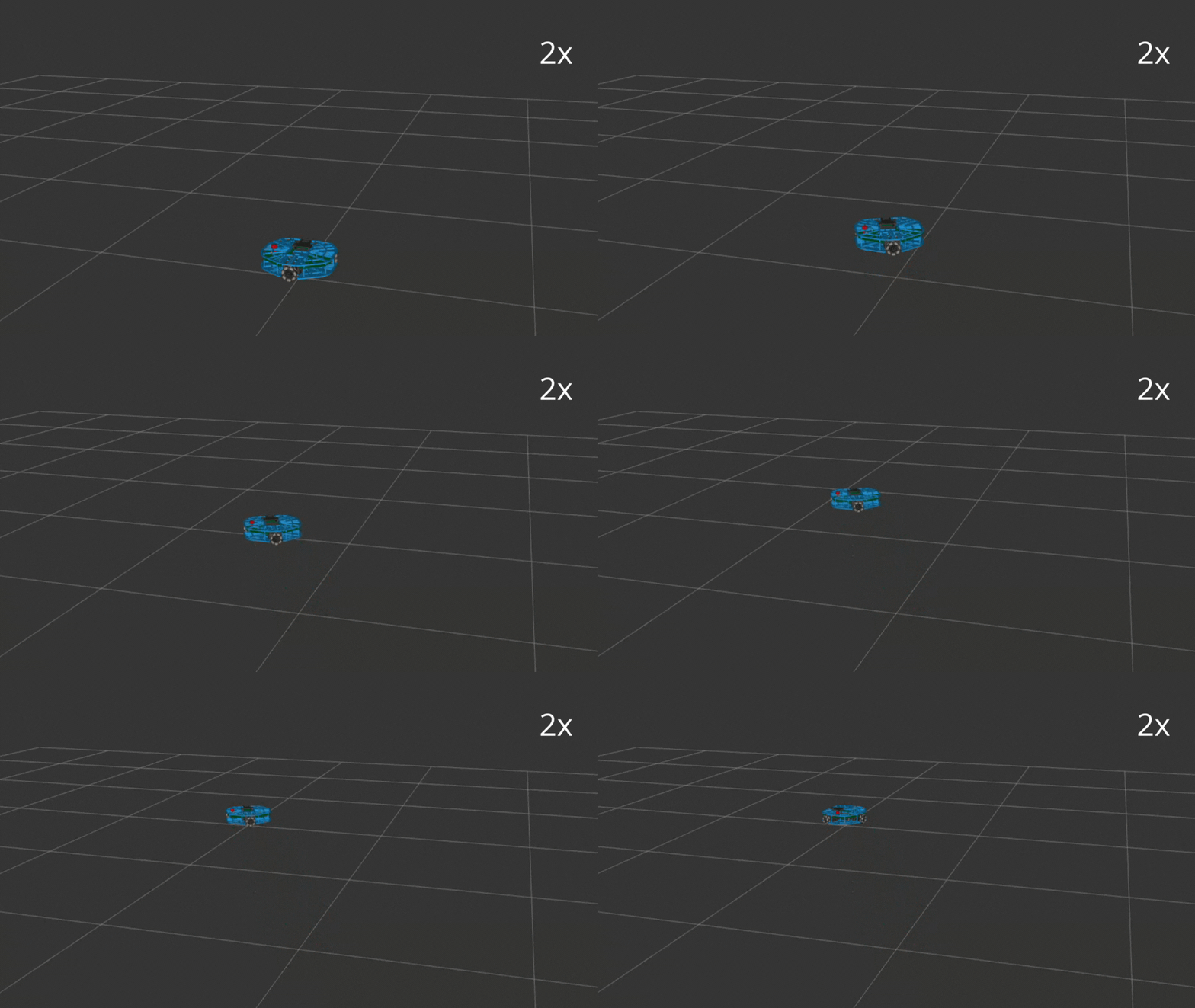
The robot should follow this sequence: rotate toward the goal position, drive to the goal position, then rotate to match the goal orientation:
Once your action command has been executed, you will see the following in your terminal:

How it works
Simple Driver
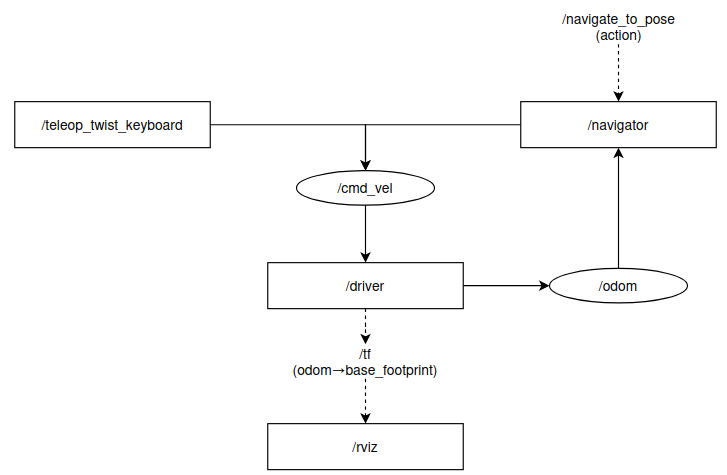
The simulator is composed of three main parts:
robotont_description Provides the URDF model of Robotont.
simple_driver
Publishes on 2 topics:
- /odom (robot pose and velocity)
- a TF transform odom → base_footprint (robot position in the world used by rviz2 to update the poisition of the robot)
/driver
   Subscribers:
      /cmd_vel: geometry_msgs/msg/Twist
   Publishers:
      /odom: nav_msgs/msg/Odometry
      /tf: tf2_msgs/msg/TFMessage
teleop_twist_keyboard
Publishes velocity commands on /cmd_vel based on key presses.
/teleop_twist_keyboard
   Subscribers:

   Publishers:
      /cmd_vel: geometry_msgs/msg/Twist
Simple Navigator
The simple navigator is a minimal controller that drives the robot toward a goal pose.
It receives a navigation goal, computes a velocity command, and sends it to the
simple_driver through /cmd_vel.
The navigator is composed of three main parts:
NavigateToPose action server
The node exposes a /navigate_to_pose action server.
Sending a goal pose (for example from the command line or an RViz panel) activates the navigator.
ros2 action send_goal /navigate_to_pose nav2_msgs/action/NavigateToPose \
   '{pose: {pose: {position: {x: 1.0, y: 0.0}}}}'
/navigator
   Action Servers:
      /navigate_to_pose: nav2_msgs/action/NavigateToPose
simple_driver
The navigator needs the robot’s pose to know where it is and compute how to reach the goal, so it subscribes to /odom.
The navigator outputs velocity commands toward the goal. These are sent to the simple_driver via /cmd_vel.
/navigator
   Subscribers:
      /odom: nav_msgs/msg/Odometry
   Publishers:
      /cmd_vel: geometry_msgs/msg/Twist
robotont_description Provides the URDF model of Robotont.
The diagram below shows how keyboard teleoperation, the simple navigation controller, and the simple driver connect to each other, and how their outputs are visualized in RViz. Each node has a specific role: teleop sends motion commands, simple_driver simulates robot movement, simple_navigator computes goal-directed velocities, and RViz displays the robot using TF and odometry.