Teleoperating the real robot with user PC
You can control Robotont using your keyboard. This section explains how to send movement commands to the robot and interact using both methods.
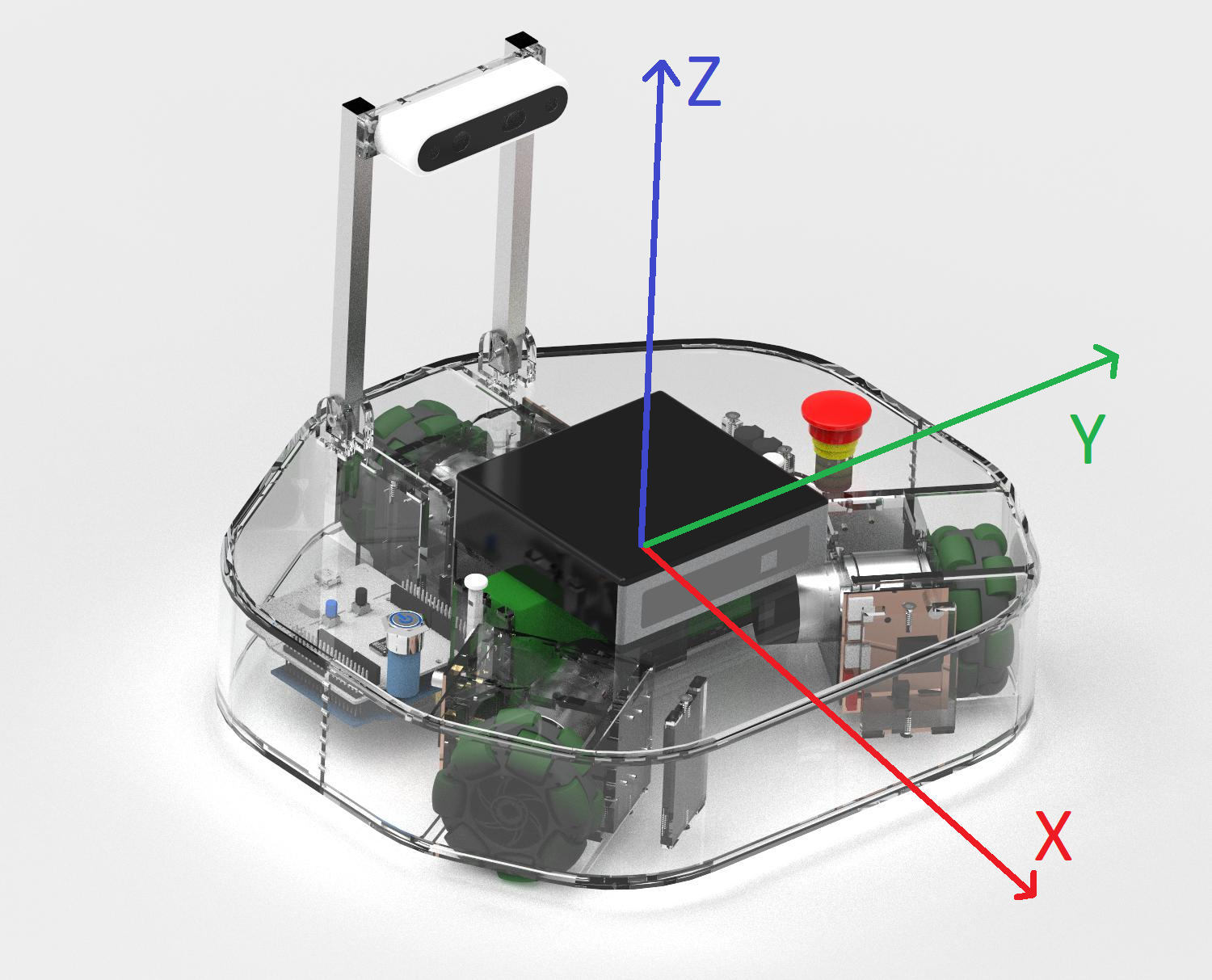
The robot driver subscribes to a specific type of messages called velocity commands. The standard name for this topic is
/cmd_vel.The message is of type
geometry_msgs/Twist— see its structure on the ROS 2 geometry_msgs/Twist documentation.To set and control the robot speed, the velocity commands need to be published continuously.
Setup
Before starting make sure of having followed the instructions of Prerequisites and having correctly set up you user PC as described in Connecting to the Robot.
Hint
Before installing any packages from apt, make sure existing packages are up-to-date:
sudo apt update && sudo apt upgrade -y
Hint
ROS packages installed from apt are only available in terminals where the ROS environment has been sourced. To use these packages, you must first source the general ROS 2 environment:
source /opt/ros/jazzy/setup.bash
Install teleop twist keyboard from apt:
sudo apt install ros-jazzy-teleop-twist-keyboard
(Optional) Connect the robot and PC with the same subnet (see Distributed ROS 2).
Controlling the robot
In Terminal (on the robot’s on-board computer or another PC, if distributed ROS is set up):
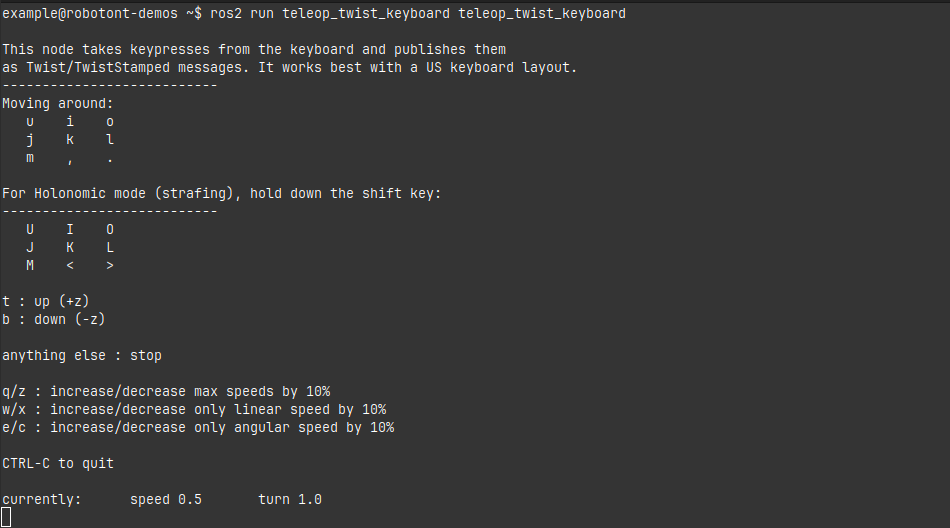
ros2 run teleop_twist_keyboard teleop_twist_keyboard
Use the following keys to move the robot:
Warning
From this point beyond, you are able to drive the robot with a keyboard. Should you lose control over the robot, do one of the following:
Press “k” to stop the robot
Press the emergency stop button on the robot
Hint
Note that teleop only receives keypresses when the terminal window is active (in focus).
Tip
Use
CTRL + Cto stop the node.