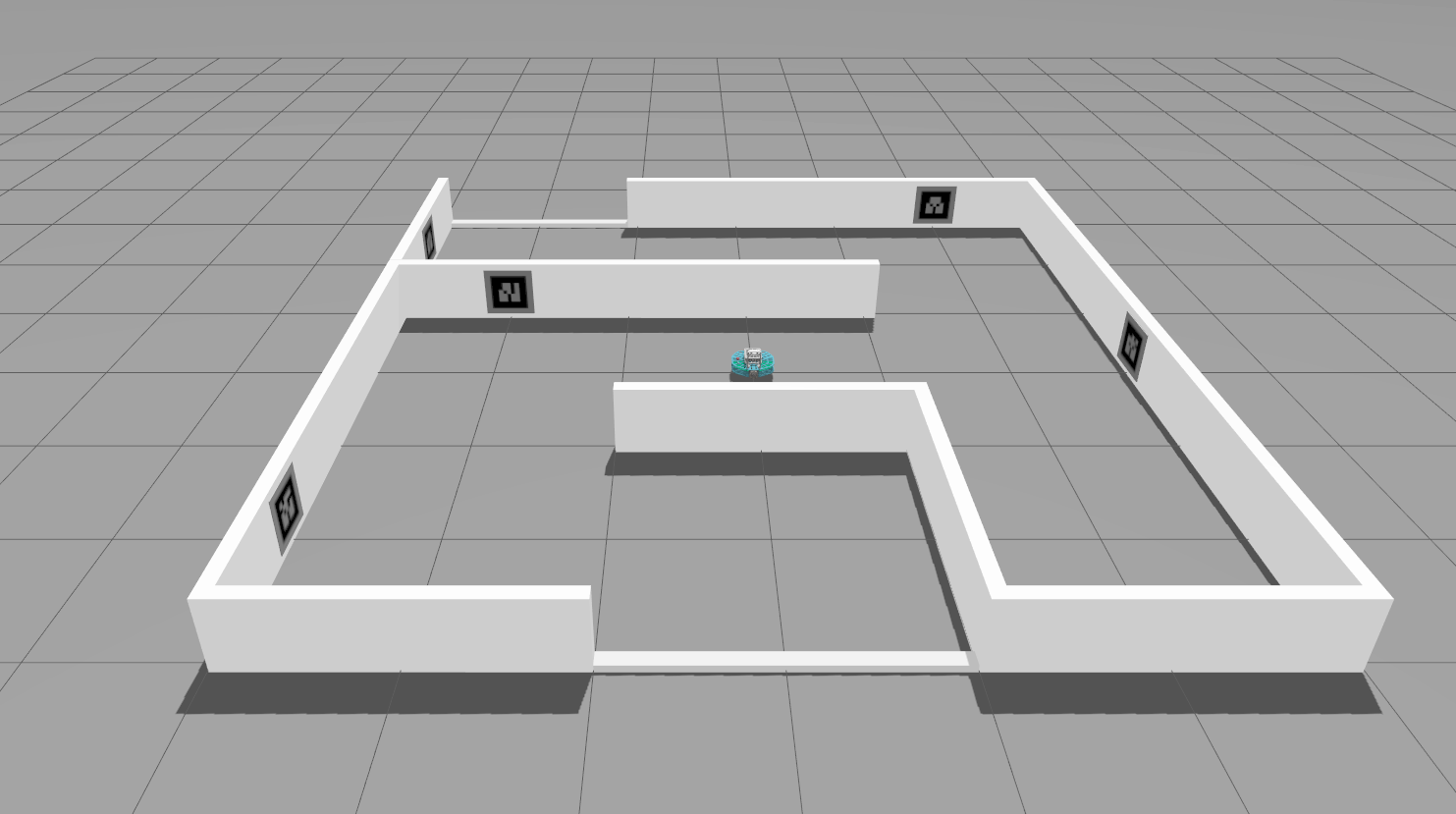
Overview
ROBOTONT is an mobile ground robot with omnidirectional wheels to enable rapid movement in any direction at a desired heading. The sensor system includes a depth camera which allows it to see like humans and map the entire environment in 3D. The powerful on-board computer facilitates running high performance algorithms and libraries. The software stack is open-source and based on ROS (Robot Operating System). Its literally transparent design, modular hardware, and open-source software offer endeless custiomization and extendibility options.
ROBOTONT currently includes the following out-of-the-box demos:
Android device, gamepad and keyboard based teleoperation,
2D mapping and SLAM,
3D mapping,
AR marker tracking, and
gesture-based human-robot interaction.
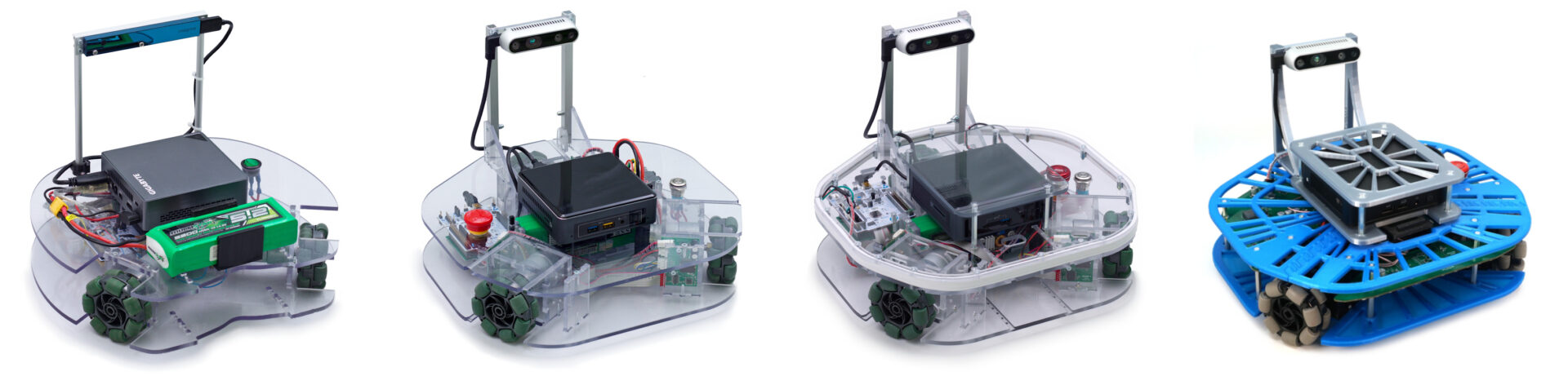
Specification
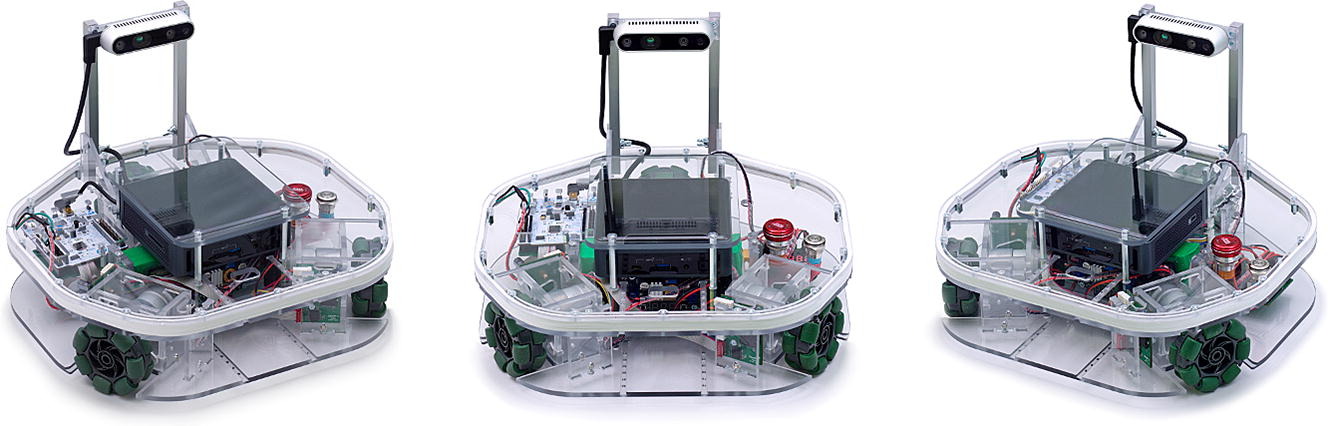
On-board computer – Intel NUC7i5BNK
Processor: Intel Core i5 (7th Gen) 7260U (2 cores, up to 3.4 GHz)
RAM: DDR4 2133 MHz 4 GB
GPU: Intel Iris Plus Graphics 640
Peripherals: 1x HDMI, 4 x USB 3.0 Type A, 1 x Thunderbolt 3/DisplayPort/USB-C 3.1 Gen2
Storage: Transcend MTS420 M2.0 SSD 120 GB
Network: Intel I219-V Gigabit Ethernet – RJ45 Intel Dual Band Wireless-AC 8265, IEEE 802.11a/b/g/n/ac
Development board – ARM NUCLEO-L476RG
CPU: ARM® 32-bit Cortex®-M4, 80 MHz
Debugging: ST-LINK/V2-1
Connectivity: mini-USB
GPIO: 51
Motors – Pololu 1442
Voltage: 12 V
Stall current: 5000 mA
Max rpm: 500
Max torque: 0.59 Nm
Gear Ratio: 19:1
Encoder (motor): 64 counts/rev
Encoder (gearbox): 1200 counts/rev
3D Camera – Intel Realsense D435i
Depth Resolution: 1280 x 720
FOV (Horizontal): 87° (depth), 69.4° (RGB)
FOV (Vertical): 58° (depth), 42.5° (RGB)
RGB Sensor: 1920 x 1080 @ 30 fps
Min Depth: ~28cm (720p), ~10cm (480p)
Operating range: ~0.3 - 3 meters
Connection: USB 3.1 Type-C
You can find the detailed items description here: Replication Package GitHub Gen2
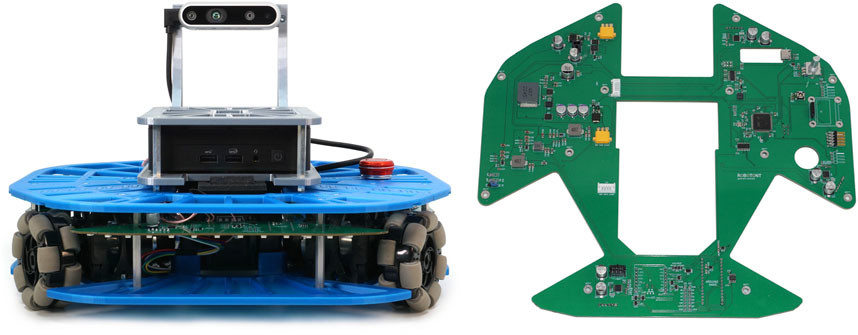
On-board computer – Intel NUC13ANKI5
Processor: Intel® Core™ i5-1340P Processor 12M Cache, up to 4.60 GHz
RAM: DDR4 3200MHz 16GB
GPU: Intel® Iris® Xe Graphics
Peripherals: 2x Thunderbolt 4, 3x USB 3.2 Type-A, 1x USB 2.0, 1x 3.5mm Audio Jack
Storage: SSD 250GB Kingston NV2 M.2 NVMe
Network: Intel Wi-Fi 6E AX211 + Bluetooth 5.3, 1x 2.5Gb LAN
Motors – Pololu 1442
Voltage: 12 V
Stall current: 5500 mA
Max rpm: 530
Max torque: 0.83 Nm
Gear Ratio: 18.75:1
Encoder (motor): 64 counts/rev
Encoder (gearbox): 1200 counts/rev
3D Camera – Intel Realsense D435i
Depth Resolution: 1280 x 720
FOV (Horizontal): 87° (depth), 69.4° (RGB)
FOV (Vertical): 58° (depth), 42.5° (RGB)
RGB Sensor: 1920 x 1080 @ 30 fps
Min Depth: ~28cm (720p), ~10cm (480p)
Operating range: ~0.3 - 3 meters
Connection: USB 3.1 Type-C
You can find the detailed items description here: Replication Package GitHub Gen3
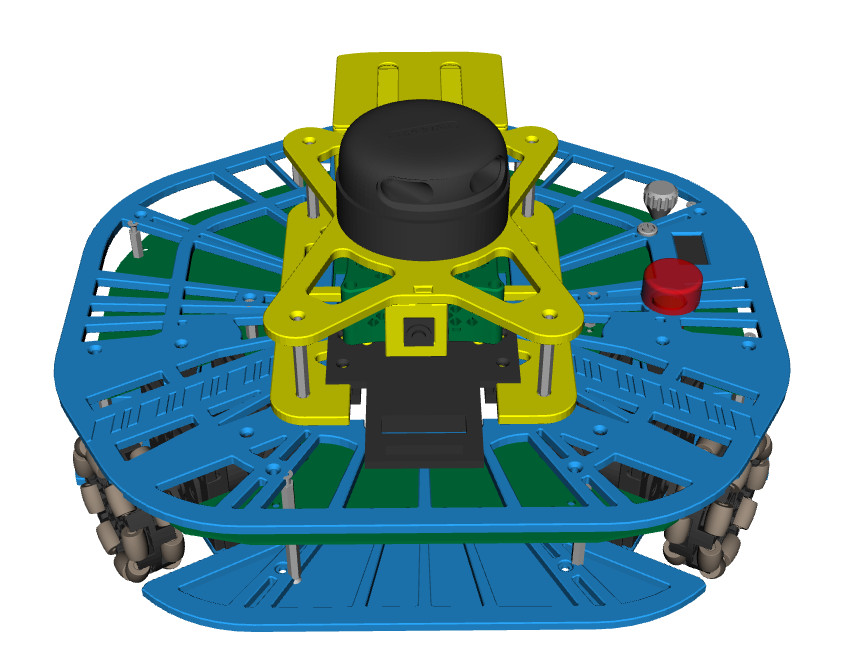
On-board computer – Raspberry Pi 5
Processor: Broadcom BCM2712 2.4GHz quad-core 64-bit Arm Cortex-A76 (cryptography extensions, 512KB L2/core, 2MB L3)
RAM: LPDDR4X-4267 SDRAM (1GB, 2GB, 4GB, 8GB, 16GB)
GPU: VideoCore VII, OpenGL ES 3.1, Vulkan 1.3
Storage: microSD (SDR104), PCIe 2.0 x1 (M.2 HAT required)
Network: Dual-band 802.11ac Wi-Fi, Bluetooth 5.0/BLE, Gigabit Ethernet (PoE+ via HAT)
Peripherals: 2x USB 3.0, 2x USB 2.0, dual 4Kp60 HDMI (HDR), 2x MIPI, 40-pin GPIO, RTC, USB-C 5V/5A
Motors – Pololu 1442
Voltage: 12 V
Stall current: 5500 mA
Max rpm: 530
Max torque: 0.83 Nm
Gear Ratio: 18.75:1
Encoder (motor): 64 counts/rev
Encoder (gearbox): 1200 counts/rev
Camera – Raspberry Pi AI Camera
Sensor: 12.3 MP Sony IMX500 with neural network accelerator
Resolution: 4056×3040 @ 10fps / 2028×1520 @ 30fps (10-bit)
Video: 1080p30
FoV: 78.3° (±3°), F1.79, manual focus
Pixel size: 1.55 × 1.55 μm (7.857 mm sensor)
Connection: Standard Raspberry Pi camera connector
Dimensions: 25 × 24 × 11.9 mm
Build Instructions Summary
Please refer to the: Replication Package GitHub Gen2
Please refer to the Replication Package GitHub Gen3
1. Mechanical Parts
Print all chassis and custom mechanical parts from robotont-mechanics repository (branch: gen3.0-lite).
Order required parts listed in Bill of Materials – Generation 3 Lite.
2. Electronics
The Robotont generation 3 lite is built around two custom PCBs, which production files are available in the following repositories:
Mainboard PCB — robotont-electronics-mainboard
Battery Adapter PCB — robotont-electronics-battery-adapter
3. Assembly
A step-by-step build instructions in the Assembly Guide will assist in mechanical assembly, electronics installation, and wiring.
4. Software Setup
Robotont software stack includes ROS2 on top of a standard Ubuntu Desktop image. The easiest way to get from a fresh install to a fully working robot is via the Ansible playbooks prepared in the robotont-setup repository (branch: jazzy-rpi).
Simulators
Robotont provides two simulation options that allow you to test and develop your software without using the physical robot.
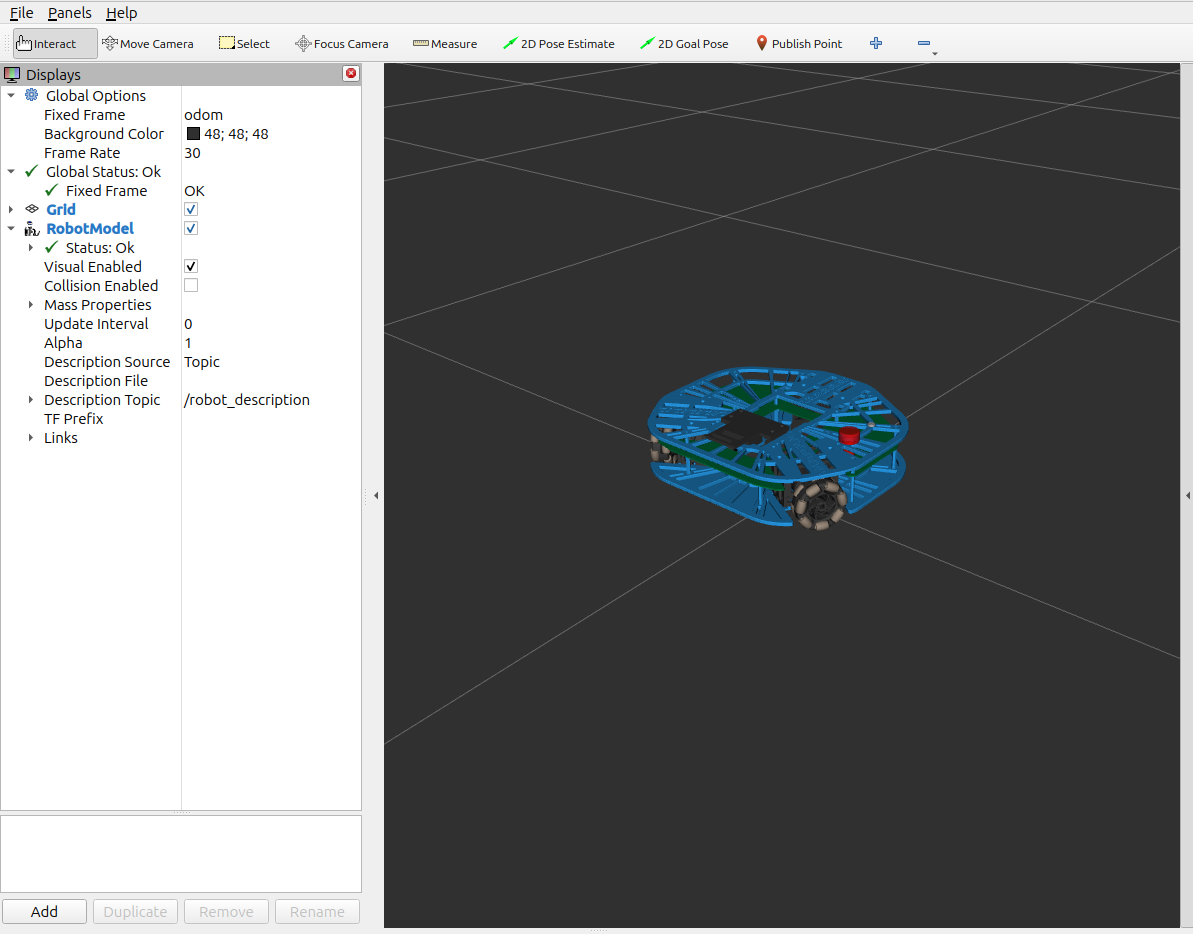
A fast and lightweight 2D/3D visualization tool designed for quick testing of Robotont’s motion and navigation. It mirrors the basic interface of the real robot (same topics, same commands) and includes a simple driver and a minimal navigation controller.
Use this simulator if you need:
Quick startup and easy testing
Teleoperation and basic goal-based navigation
A simple environment to prototype algorithms
Note: It uses simplified physics and limited sensor simulation.
A full-featured physics-based environment using Gazebo. It simulates Robotont with realistic dynamics, collisions, sensors, and is compatible with the official demos (SLAM, AR steering, etc.).
Use this simulator if you need:
Realistic physics
Accurate sensor data
Full navigation stack testing
Running the demo packages